Daily
Three boards a day, the same for everyone. Keep your streak going.
 Boxed
العربية
Boxed
العربية
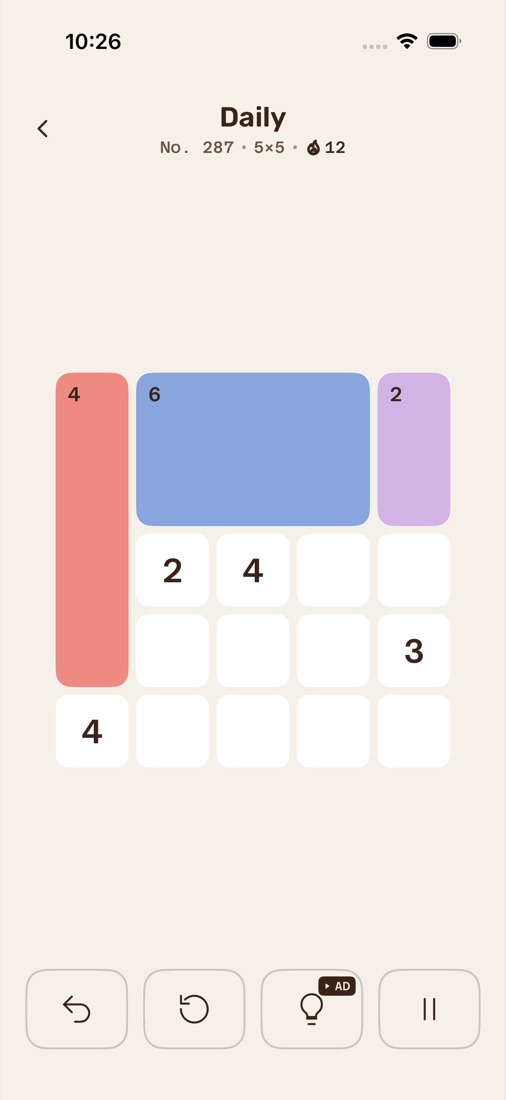
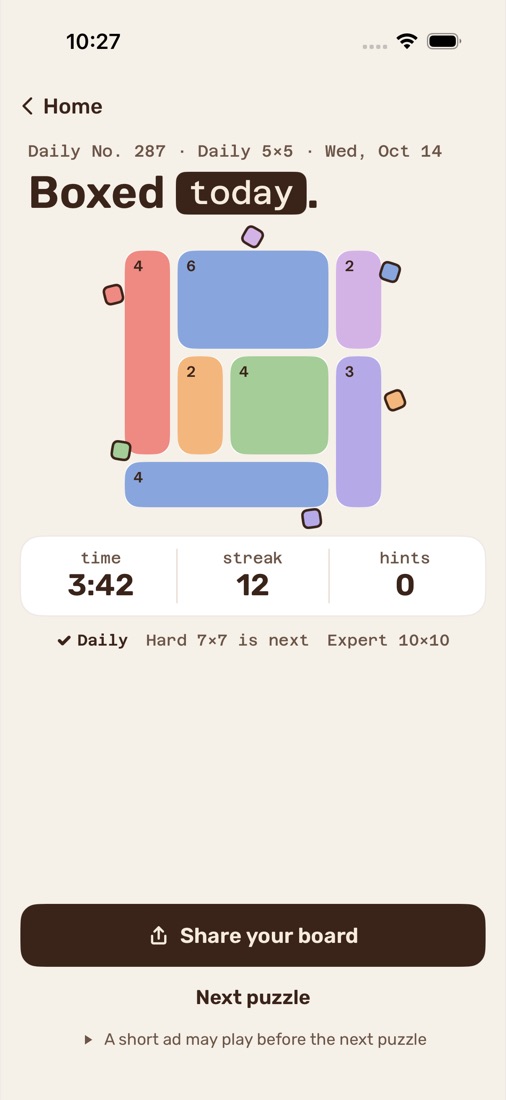
Split the grid into boxes. Every number is the size of its box.
A calm Shikaku logic puzzle for iPhone, in English and Arabic. Every board has exactly one solution.
How it plays
That's the whole rule. The thinking is in where each box can go.
Drag across the grid to draw a rectangle. Tap a box to remove it.
Each box holds exactly one number, and that number is its area. A 6 can be 2×3, 3×2, 1×6 or 6×1.
Boxes can't overlap, and every square belongs to one. When the grid is full, you're done.
Modes
Start with today's three boards, then keep going for as long as you like.
Three boards a day, the same for everyone. Keep your streak going.
Pick a size and a difficulty. Every board is new and has one solution.
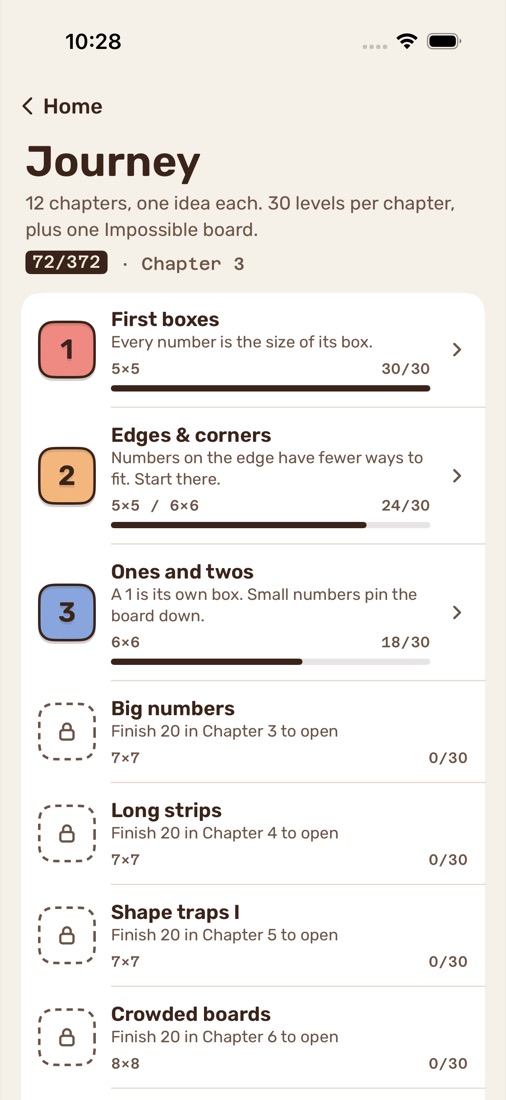
12 chapters, one idea each, from first boxes to deep shape traps.
Three minutes. Clear as many boards as you can, back to back.
Each chapter brings in one idea: edges and corners, ones and twos, long strips, then the shape traps, where the obvious square is wrong and only a strip fits. Finish 20 levels to open the next chapter. Each chapter ends with one Impossible board.
Price
Every mode is free. Ads keep it that way, and they stay off the board while you play:
One purchase, yours for good. No subscription.
Support
Open Boxed, tap the gear on Home for Settings, then Purchases → Restore purchases. Sign in with the same Apple Account you bought it with. Restoring is free.
In Boxed, go to Settings → Daily reminder and switch it off. You can change the time there too.
You can also turn off all notifications from Boxed in the iPhone's Settings → Notifications → Boxed. The reminder is scheduled on your iPhone; nothing is sent from a server.
There's no account and no sign-in. Your progress, streak and settings are saved only on your iPhone, and there's no sync between devices.
Yes. Everyone gets the same Daily, Hard and Expert boards each day, and every board has exactly one solution.
Tracking is off unless you allow it when the app asks. To change it later, go to the iPhone's Settings → Privacy & Security → Tracking.
In the EEA and the UK, Boxed also shows Settings → Help → Ad privacy choices, where you can review your consent. More in the privacy policy.